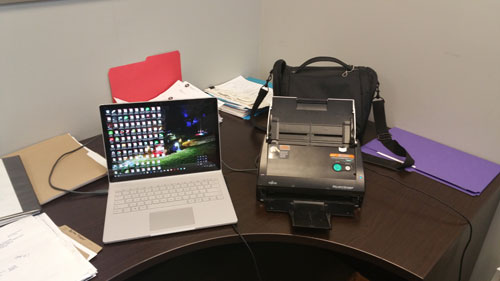
Technology is wonderful … most of the time. Continuing on from my scanner discussion and how I use technology to go paperless, we should talk about what accounting software I use.
I have used different systems over the years, from Sage 50 to Accpacc and QuickBooks desktop software. In my own practise, I tend to see something new and innovative and will try it out so that when clients are using it I have the experience needed to help them with problems. A few years ago, I decided that I wanted an accounting system that allowed me to work on whatever computer I was on, no matter what location I was at. Normally a desktop solution cannot do this unless it’s installed on a laptop which I always had to take with me. (I still do carry a laptop with me everywhere).
I started using hosted solutions which at the time was the only thing available and allowed me access no matter where I was, but it was expensive. A few years ago, Intuit QuickBooks came out with an online version. Was it the best software out there? Not compared to a desktop version, but it was the best of online software available. I started using the software for testing so I could understand how it works and what sort of client it would be good for. Back then it was not suitable for all situations and even today … well, it is greatly improved, but it still is not suitable for some clients.
 With QuickBooks online, as you set it up, you input your online banking information so the program can fetch your bank feeds and match it with cheques you have written, customer payments and so on. At first I thought this was totally unhelpful, but as I used the product more and more I notice just how easy it was to notice items I had not entered and to have the software do it for me. Is it perfect? Of course, not. I have noticed occasionally the bank sends the information twice at different times (sometimes months after it happens), the payroll system is still being improved along with the sales tax system. But overall, it is a good product that is continually improving with pricing that is less that a traditional desktop system.
I signed up for the accountant’s edition as, of course, I’m an accountant. As the name suggests, that version is only available to accountants and bookkeepers. It allows me to access client files with their approval so I can see what the problem is in real-time as they are trying to do something. I also can offer it to my clients at a wholesale rate which is cheaper than the advertised rate. If you wanted to pay them directly it can be done, but my discount expires within the first year. If I pay the bill and bill you the discount, it’s for as long as you are a Nevcon Accounting client.
There are lots of other online products around like SageOne, Freshbooks, Wave and more. Is QuickBooks online better then the rest? In some ways, I find it better then the others, but what I find good for me may not be ideal for you. That is why I’m here so I can go over your needs and ensure the software you pick is suitable to you and your business requirements.
Over the next little bit, I’m going to go over the different apps I use and why I think they are great. Stay tuned!
 I recently took part as moderator for a couple of public events at an industry festival. I was approached to do the job through someone who knows me from my work in the industry. For doing the job, the festival organization gave me an honorarium of $200. Since the connection is work-related, how do I account for this as income?